PDF Accessibility Toolkit For Graphic Designers

A free set of practical resources for creating accessible PDFs with Adobe InDesign.

These resources are focused specifically on accessibility for PDFs being published online, with relevant WCAG criteria included where applicable. They're designed to help translate accessibility standards into practical steps you can use during your design process.

It's still a growing project, and currently includes the following resources:

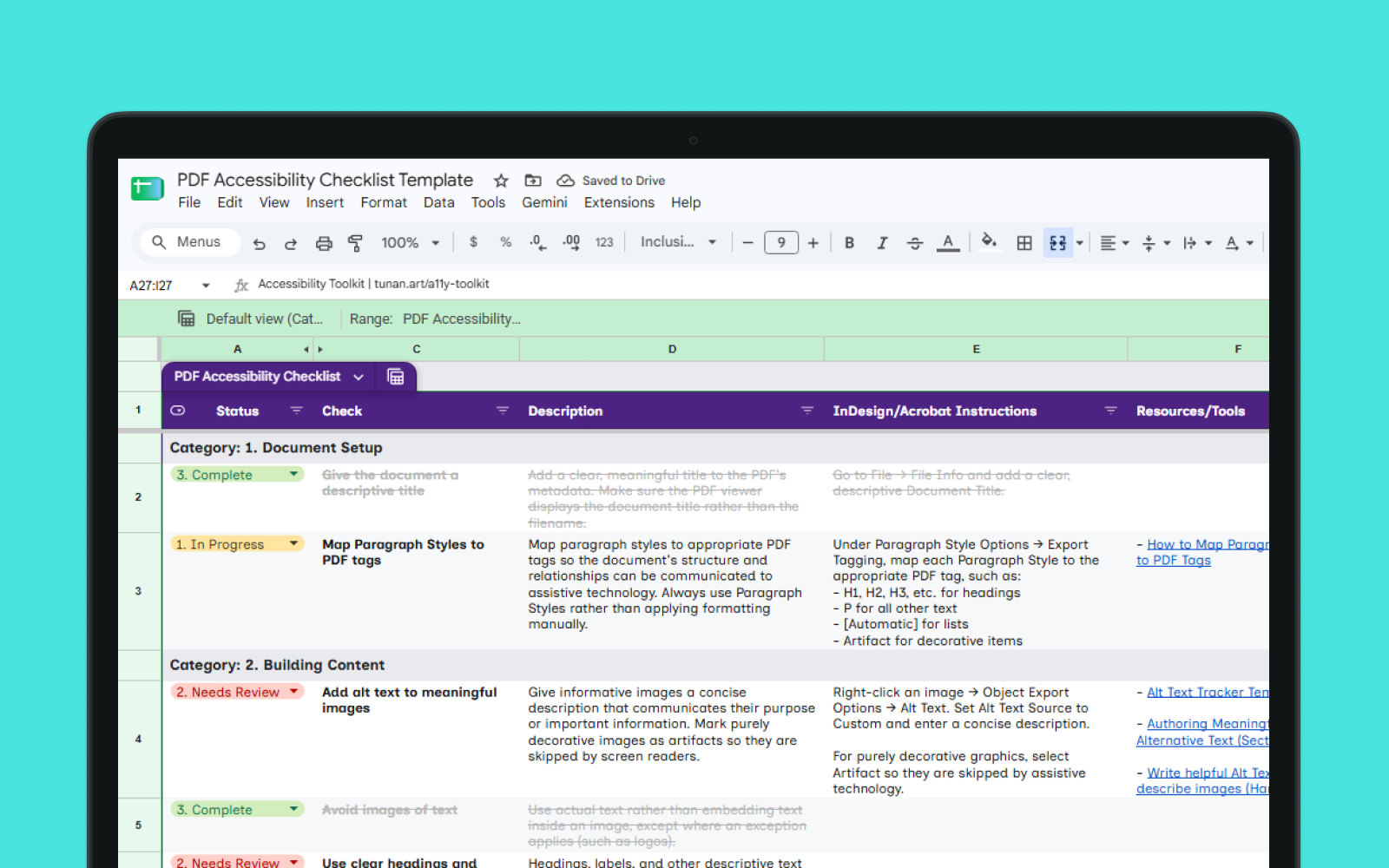
PDF Accessibility Project Checklist

An editable project checklist for creating accessible PDFs in InDesign.

Work through accessibility requirements as you create a document, keep track of what's been completed, and flag anything that needs attention.

Includes:

  • Practical checks and InDesign-specific instructions for PDF accessibility
  • Relevant WCAG 2.1 success criteria mapped to each applicable check
  • Status tracking using dropdowns, and a column for your notes
  • Links to additional guidance and resources
Google Sheet Make a copy
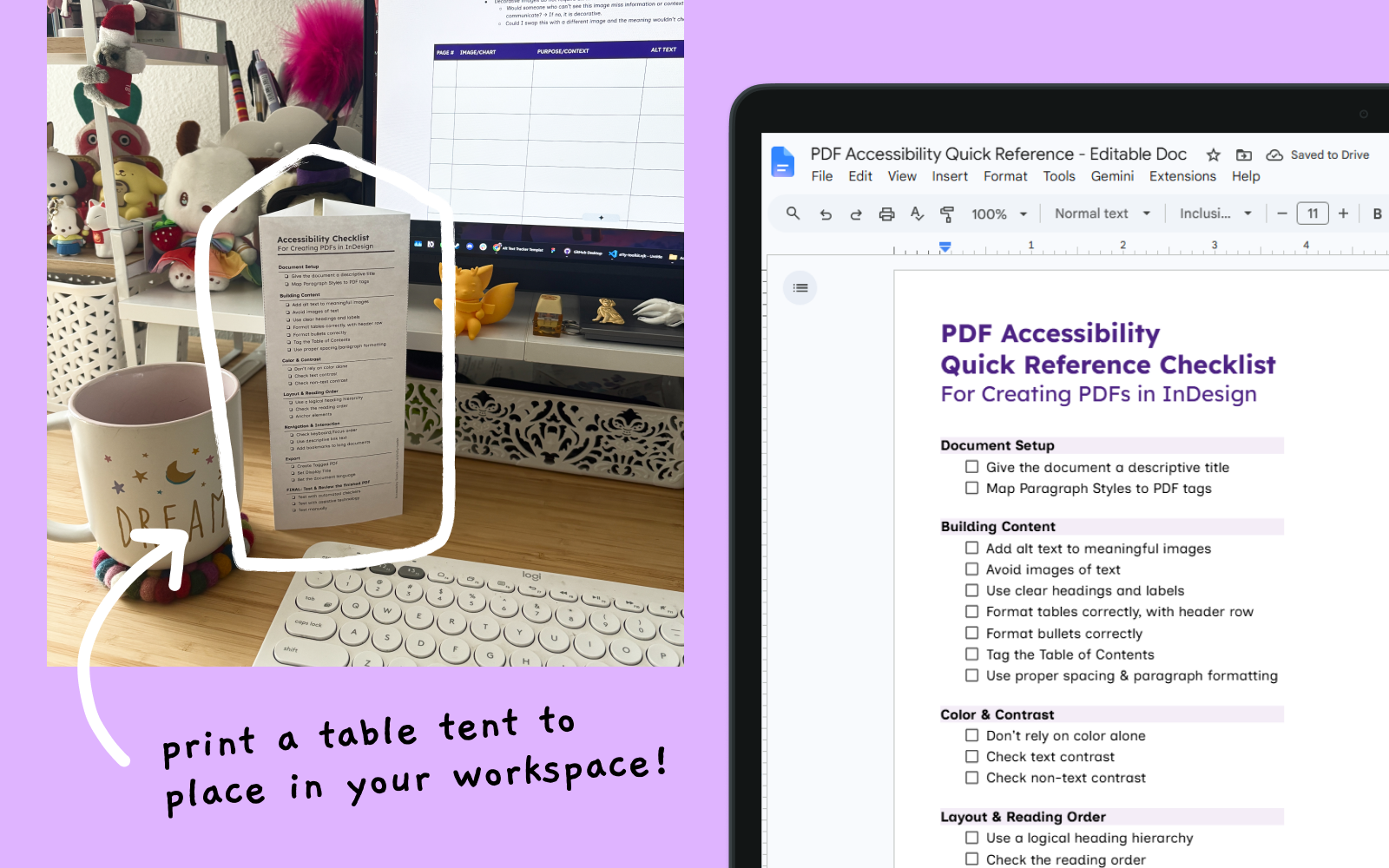
PDF Accessibility Quick Reference

A condensed checklist of accessibility checks.

Includes:

  • Printable version designed to sit beside your monitor to reference while you work
  • Editable Google Doc for a quick digital checklist, flexible for copying into your existing documents
Printable PDF Download PDF
Google Doc Make a copy

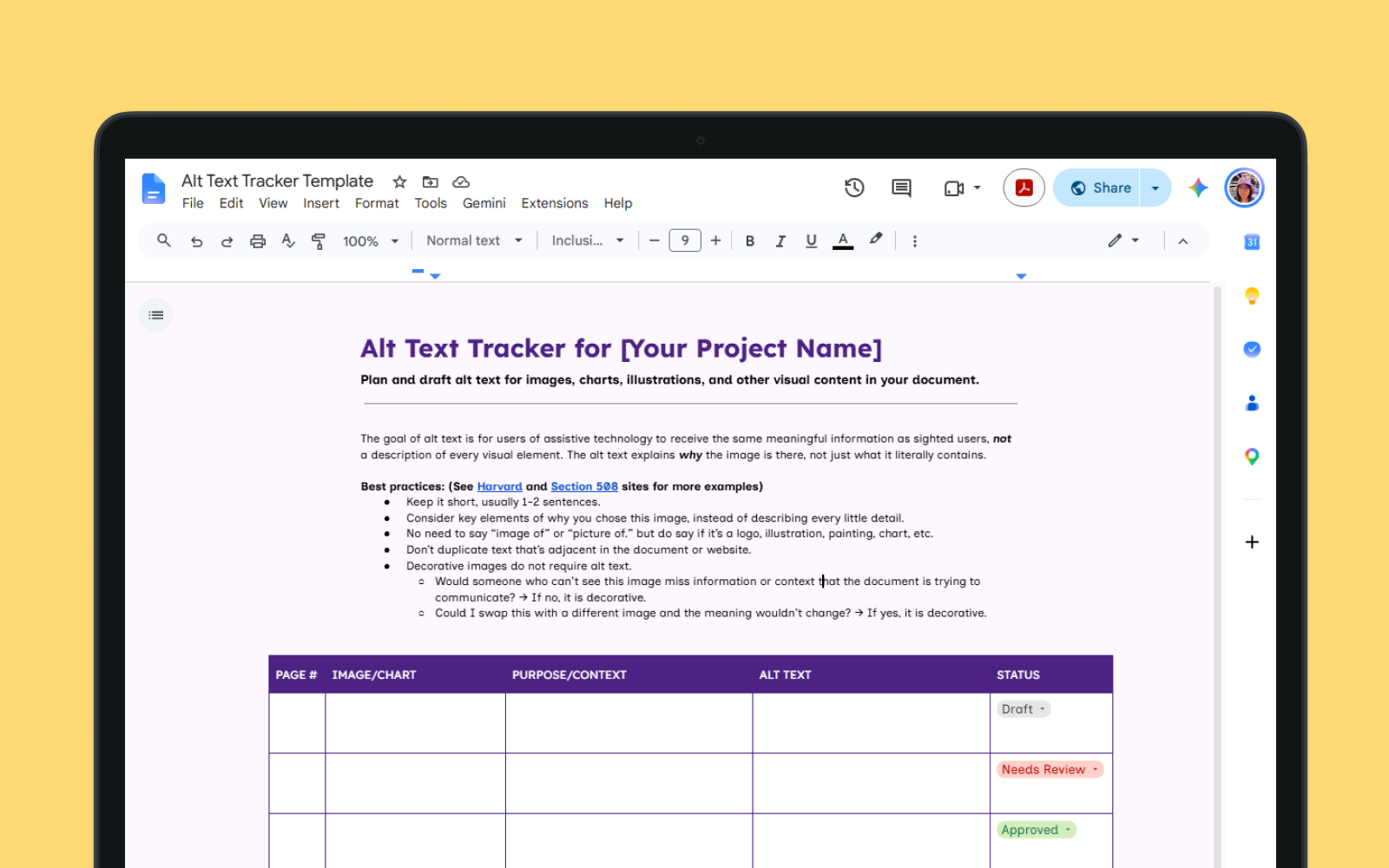
Alt Text Tracker

An editable tracker for drafting alt text for images in your document.

Includes:

  • Best practices overview for writing good alt text
  • Editable table to catalog the images in your document, identify their purpose, and draft appropriate alt text
  • Status tracking using dropdowns
Google Doc Make a copy

Note: The Google Sheets and Docs versions will ask you to make your own copy of the file. This means you will have a copy that belongs to you and can be edited freely without changing the original version.